Written By: Jerry Warner and ChatGPT4
Last Updated: July 25, 2025
Here is the complete draft of Blog 10, using the title and outline we discussed:
Words or Pictures First? A Smart Way to Build Your Children’s Book
This post is part of my case study series: “Building Wanda the Friendly Widow.” In each article, I walk through the real-world process of developing a children’s book—from idea to publication—using AI tools, design apps, and years of storytelling experience.
🧩 The Picture Book Puzzle
If you’re creating a children’s picture book, one big question will pop up early:
Should you write the text first or create the illustrations first?
It seems like a simple choice, but this decision can shape everything from your book’s pacing and structure to its final page count. And if you’re using AI tools, it gets even more interesting.
In this blog, I’ll explore the pros and cons of each approach—and share how I’m handling this step in my own children’s book project, Wanda the Friendly Widow.
🎨 Why This Question Matters
Unlike novels, children’s books are a careful dance between pictures and words. Every image needs to earn its place. Every sentence must do the job of ten. Ideally, the text and visuals work together to tell a richer story than either could on their own.
That’s why deciding what to create first—text or pictures—can feel paralyzing.
- Should you script your entire story before imagining a single scene?
- Or should you dream up the visuals first and let the words follow?
Let’s break down the options.
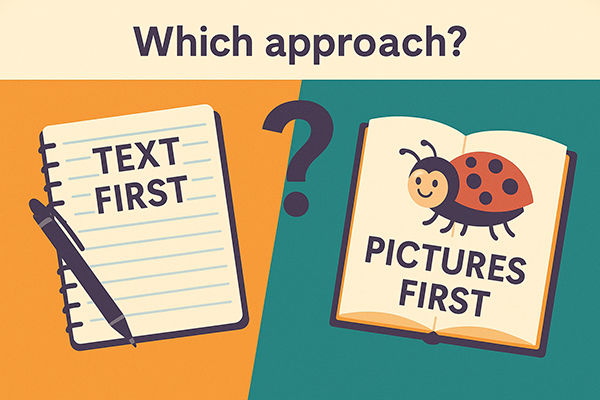
✍️ 1. The Text-First Approach
This is the traditional method, especially for authors who are not also illustrators.
✅ Pros:
- Gives you complete control over the storyline, voice, and pacing
- Easier to structure page turns, tension, and emotional flow
- Keeps the word count focused and aligned with industry norms
⚠️ Cons:
- You might overwrite (too many words per page)
- You may later struggle to find places for engaging images
- It can limit creativity if the visuals feel like an afterthought
Best for: Writers who already have a strong narrative in mind and want to pitch to a traditional illustrator or publisher.
🖼️ 2. The Illustration-First Approach
Some creators, especially visual artists, prefer to let the images lead the story.
✅ Pros:
- Visually exciting right away—easy to prototype and test
- Helps define mood, tone, and personality
- Works well when using AI tools to spark scene ideas
⚠️ Cons:
- Writing to match pictures can feel restrictive or forced
- Harder to manage story pacing
- Might leave gaps or cause redundancy
Best suited for: Visual storytellers or AI-powered creators seeking to build upon concept art or visual world-building.
🔁 3. The Hybrid Approach (My Favorite)
Here’s where it gets smart—and this is the method I’m using for Wanda the Friendly Widow.
How it works:
- Start with a chapter or story outline (plot beats or page descriptions)
- Use that structure to imagine 2–3 spreads per chapter
- Create rough illustrations or AI image prompts for key moments
- Refine the text to match the emotion, flow, and energy of each spread
This approach gives you the flexibility of a visual thinker and the structure of a writer.
It also works beautifully with tools like Adobe Express, Illustrator, and InDesign—especially when paired with AI art generation for inspiration.
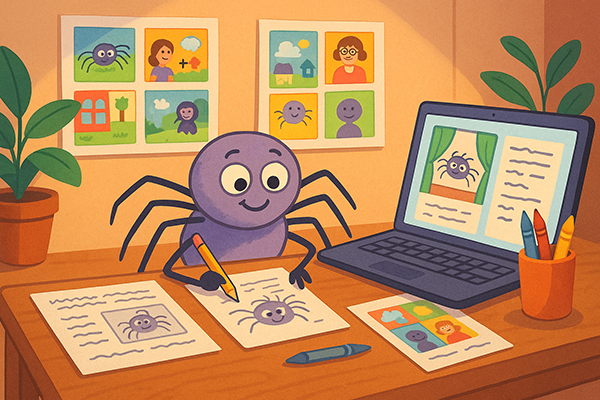
🕷️ How I’m Handling It for Wanda the Friendly Widow
Let’s use Wanda as an example. I have a 7-chapter outline. But I know a standard picture book typically has 24 pages (or 12 spreads).
So, my next step is to expand each chapter into 2–3 visual scenes or moments. That gives me enough room for visual storytelling, page turns, and pacing that feels right for a young reader.
Example: Chapter 2 – “The Upside-Down Surprise”
I might break this into:
- Spread 1: Wanda hanging upside down in the barn rafters, peeking out at the animals below.
- → Image-heavy, minimal text.
- Spread 2: The animals reacting in fear or confusion—until the kitten gets curious.
- → Emotion scene—text and image balanced.
- Spread 3: Wanda whispering gently to the kitten, who inches closer.
- → Dialogue moment—more text-driven.
Once I have rough visuals or AI sketches for those 3 spreads, I can write the final text that supports the image tone, emotion, and page flow.
🛠️ Tools I’m Using (So Far)
Task | Tool |
Visual Storyboarding | Adobe Express + Printable Thumbnail Sheet |
Text & Layout | InDesign |
Illustration Concepts | AI + Illustrator |
Final Publishing Prep | InDesign (PDF) or Kindle Kids Book Creator |
This workflow lets me zoom out to see the whole book and zoom in to fine-tune each scene.
🎯 Your Best Path Forward
If you’re just starting your children’s book, here’s my recommendation:
- Start with an outline or storyboard—even just 6–12 boxes labeled with key moments.
- Rough out your visuals early (sketches, AI, photo collages—whatever works).
- Use those images to shape your text, and revise as you go.
In short: don’t worry so much about “text first or picture first.” Think story first, and let both elements grow together.
📣 What’s Next in the Wanda Series?
In the next step, I’ll walk through how I build a whole spread—from image concept to finished layout—using a real page from Wanda the Friendly Widow.
If you’re enjoying this behind-the-scenes look at building a children’s book with AI, stay tuned—subscribe to my [YouTube channel] and blog!